
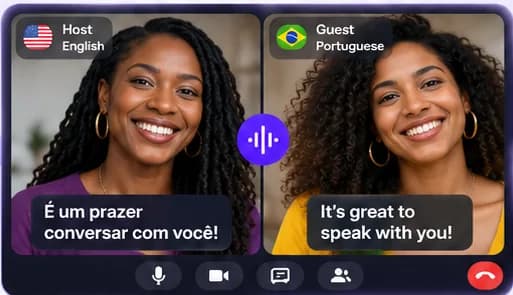
English one side, Spanish the other
Start a session, choose Spanish as your guest's language and send the link. Your guest sees Uhura in Spanish, joins in their browser and speaks Spanish; you see the English, they see the Spanish.
It suits everyday conversation: catching up with family, getting to know your partner's parents, or talking a client through a plan. For legal, medical or safety-critical matters, use a professional interpreter.
Useful when Spanish is one of several languages
Uhura isn't limited to one pair. The same account works for any of its 138 languages, so you can call someone in Spanish today and in Portuguese, Hindi or Arabic tomorrow.
Questions people ask
Does my Spanish-speaking guest need to know English to join?
No. The invitation and the join screen appear in Spanish, and they talk in Spanish throughout.
Does the other person need an account or the app?
No. Guests join free from your link in any modern browser on a phone, tablet or computer. Only the host needs an Uhura account.
How accurate is the translation?
Translation is generated by software, so it can be wrong — especially with slang, names or noisy audio. It works well for everyday conversation. Don't rely on it for emergencies or for critical medical, legal or safety decisions.
How much does it cost?
Creating an account is free and comes with free credits to try live translation once you confirm your email. Translation uses credits; chat, voice and video without translation are free. Monthly plans start at $19.99 for 200 credits, and you can top up at any time.