
When the built-in options don't fit
Apple's own Live Translation needs a recent iPhone with Apple Intelligence and supports a limited set of languages. If your phone, your language or the other person's device isn't covered, Uhura is a simple alternative: it isn't tied to one phone model or one platform.
- Any iPhone that runs a current browser
- The other person can use Android, an iPad or a laptop
- 138 languages, including many that built-in tools don't offer
- Video, voice and chat in one session
How to do it
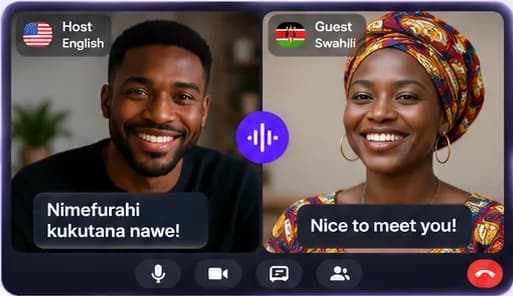
Open Uhura on your iPhone, start a session and choose your guest's language. Share the link by Messages, WhatsApp or email. When they open it, you're on a translated call.
Questions people ask
Does Uhura work with FaceTime?
Uhura doesn't plug into FaceTime. You start a translated call in Uhura and send the link however you like; the other person joins in their browser.
Does the other person need an account or the app?
No. Guests join free from your link in any modern browser on a phone, tablet or computer. Only the host needs an Uhura account.
Which languages does Uhura support?
Uhura works in 138 languages. Each person picks their own language, and Uhura translates in both directions.
How accurate is the translation?
Translation is generated by software, so it can be wrong — especially with slang, names or noisy audio. It works well for everyday conversation. Don't rely on it for emergencies or for critical medical, legal or safety decisions.