
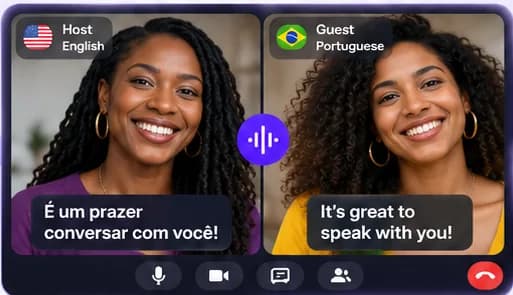
Use WhatsApp to share the link, Uhura to talk
Uhura doesn't plug into WhatsApp. Instead it works alongside it: you start the translated call in Uhura and use WhatsApp, which your contact already has, to send the invitation.
When you start a session, Uhura gives you a link and a WhatsApp button. Tap it, pick the chat, send. Your contact opens the link in their phone's browser and lands in the call.
What the call is like
You each speak your own language. Uhura shows translated captions on the call and translates any chat messages you type, so both of you can follow along.
- Video, voice or chat — and you can switch during the session
- 138 languages, translated in both directions
- Works on iPhone, Android and computers, in the browser
- Your contact needs no account, no app and pays nothing
Good to know before your first call
Use headphones if you can: the clearer the audio, the better the translation. Speak in full sentences and pause between them. If you're out of translation credits, the call carries on without translation instead of ending.
Questions people ask
Can WhatsApp translate my video call?
Uhura doesn't change WhatsApp. To have a translated call, start it in Uhura and send the link through WhatsApp; your contact joins from the link in their browser.
Does the other person need an account or the app?
No. Guests join free from your link in any modern browser on a phone, tablet or computer. Only the host needs an Uhura account.
How much does it cost?
Creating an account is free and comes with free credits to try live translation once you confirm your email. Translation uses credits; chat, voice and video without translation are free. Monthly plans start at $19.99 for 200 credits, and you can top up at any time.
How accurate is the translation?
Translation is generated by software, so it can be wrong — especially with slang, names or noisy audio. It works well for everyday conversation. Don't rely on it for emergencies or for critical medical, legal or safety decisions.